Your catalogue
Every listing as it is on Trendyol today: its prices, the discount Trendyol adds on top of yours, what one unit leaves over its cost, stock and your own tags.
The catalogue shows what you are listing on Trendyol right now. It is the first tab of My products in the sidebar, beside Costs.
It is the one screen in your store with no period. It shows every listing as it is today, read from Trendyol once a day, which is why there are no dates above it and the time at the top is when the listings were last read.
One row, one listing in one country
Each row is one listing in one country. Under the name come the model code and the barcode, the brand and your tags, and the Country column says which storefront it is. A product sold in Romania and in Greece is two rows, because Trendyol treats it as two listings, each with its own price, commission and VAT.
Prices
- List price: your list price.
- Your discount: what you take off it.
- Your price: the price you set.
- Offered at: the price a buyer is actually shown.
- Trendyol's cut: how much further Trendyol takes off your price during its campaigns.
Offered at is the figure your margin really depends on, and you will not find it anywhere else in Datomy. When Trendyol's cut is high, the buyer pays noticeably less than the price you set.
Every price is in its own country's currency. That is why nothing on this screen is added up across rows and there is no total.
Cost and what is left over it
Cost / unit is what you told Datomy one unit costs, on the Costs tab. It belongs to the barcode, so it repeats on each country's row.
Over cost is what one unit sells for above that cost, at the price a buyer is offered. It is not profit: Trendyol's commission, shipping, the box and VAT still have to come out of it. A small figure here, or a red one, is a listing worth a closer look. Where no cost is entered, or the price is in a different currency from the cost, the cell stays empty rather than guessing.
Stock and sorting
In stock sorts the table, most first. Click the heading again to put what is running low at the top. You can also sort by product, country, Your discount and Trendyol's cut. The price columns do not sort, because a list ordered by prices in different currencies is really a list ordered by country.
Tags
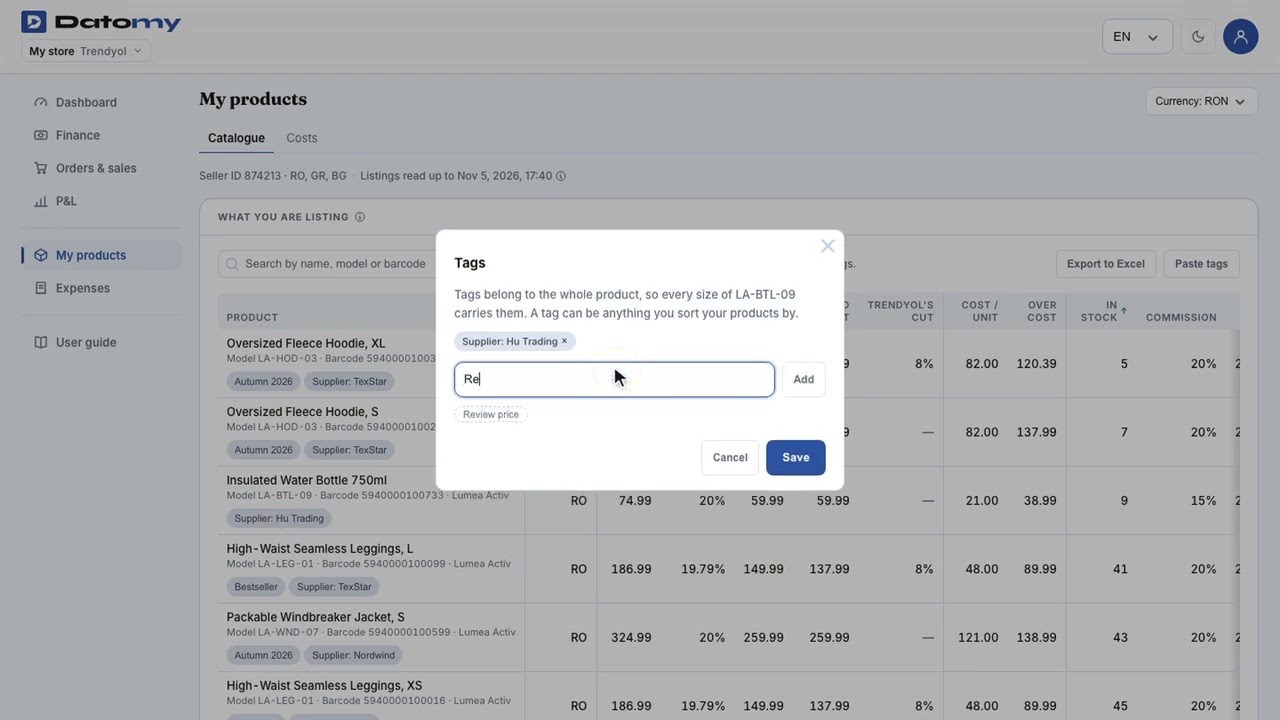
Tags are yours to set: a collection, a season, a reminder to reorder. Click a product's tags, type a new one and save. Tags belong to the whole model, so every size carries them. The Tags filter narrows this table and the other screens that have the filter to the products you tick.
Paste tags sets the tags of many products at once: a model code or a barcode, then a tab or a semicolon, then its tags separated by commas. A minus clears a product's tags.
Hidden listings and export
Not selling shows only the listings that are not on sale right now. With archived adds the ones you archived, which are hidden otherwise. Export to Excel saves every listing that matches, not just the page on screen.