Your own Trendyol store, now in Datomy
Connect your Trendyol seller account and Datomy reads your store by itself: what sold, what Trendyol charged, what each payout held, your orders, and the profit once you enter what your goods cost.
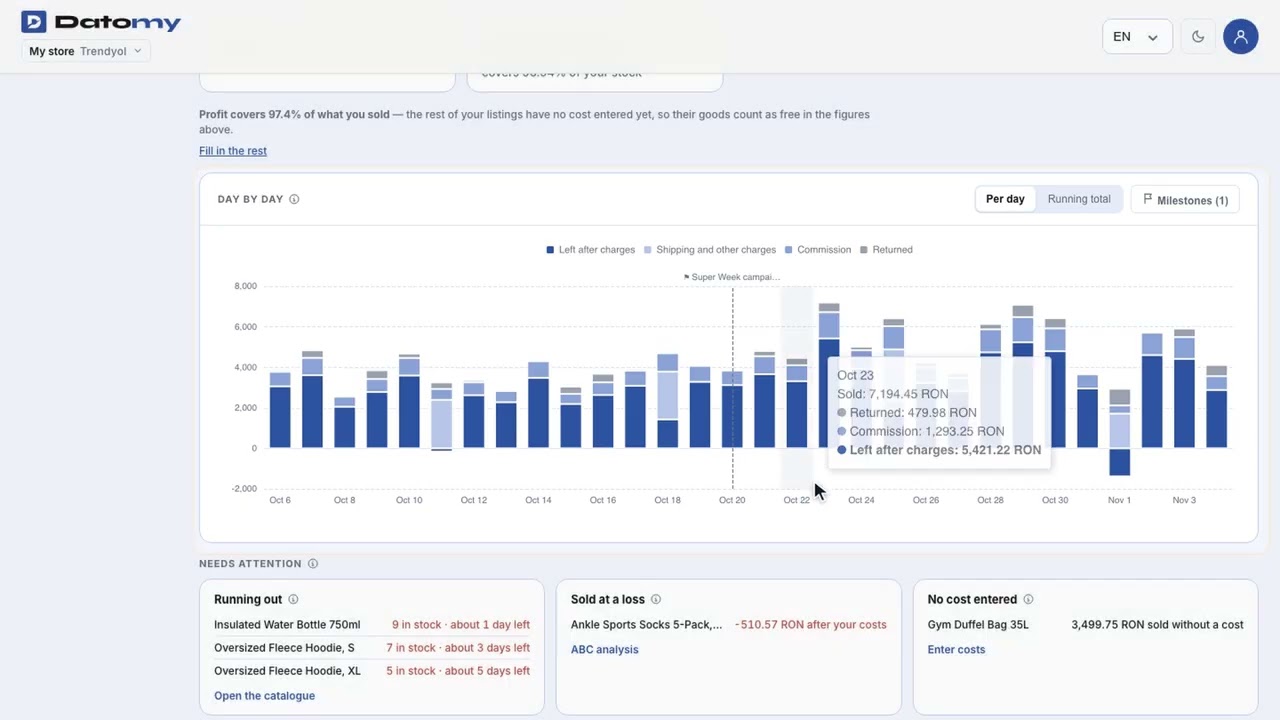
Until now Datomy showed the market: what sells on eMAG and at what price. Now it also reads your own Trendyol store. Connect your seller account once, and a new space, My store, fills with your figures and nobody else's.
What you get
- Dashboard: the period at a glance. What sold, every charge Trendyol took out of it and what was left, the orders, what is on the shelf, a chart by day and what needs your attention.
- Finance: what Trendyol paid, payout by payout. Open one and it breaks down into what was sold, what was taken off and what reached the bank.
- Orders & sales: tabs for Orders, Sales, ABC analysis, Dynamics, Plan vs fact and Geography: what was ordered and what became of it, what each product earned, and where the orders went.
- P&L: the same money month by month, or week by week, down to the profit.
- My products: the Catalogue, every listing with its prices, stock and commission, and Costs, where you enter what your goods cost.
- Expenses: what you pay for outside Trendyol, such as rent, wages or advertising elsewhere, so the P&L can take it off too.
Profit appears only where you have entered a cost. Without one, a profit figure would claim your goods were free, so Datomy shows what Trendyol left you and asks for the cost instead.
One store, every country, each currency apart
One Trendyol Seller ID covers every country you sell in, for example Romania, Greece and Bulgaria, and Datomy reads them all as one store. Trendyol settles each country in its own currency, so Datomy shows one currency at a time and never adds lei to euros. Pick the currency at the top of the screen.
Datomy reads the store on its own: the money every few hours, the listings once a day, the orders every hour.
Yours alone
Your store's figures are visible only to you. Datomy reads them through a key you create in Trendyol and can revoke there at any time, and it discards buyers' names and addresses as orders arrive.
How to start
My store is part of the Datomy Platform plan, and the 7-day free trial of a new account includes it. Open My stores from the account menu and connect your store; Connect your Trendyol store shows every step, starting with the key in Trendyol.